AI-generated illustration — not a retailer product photo.
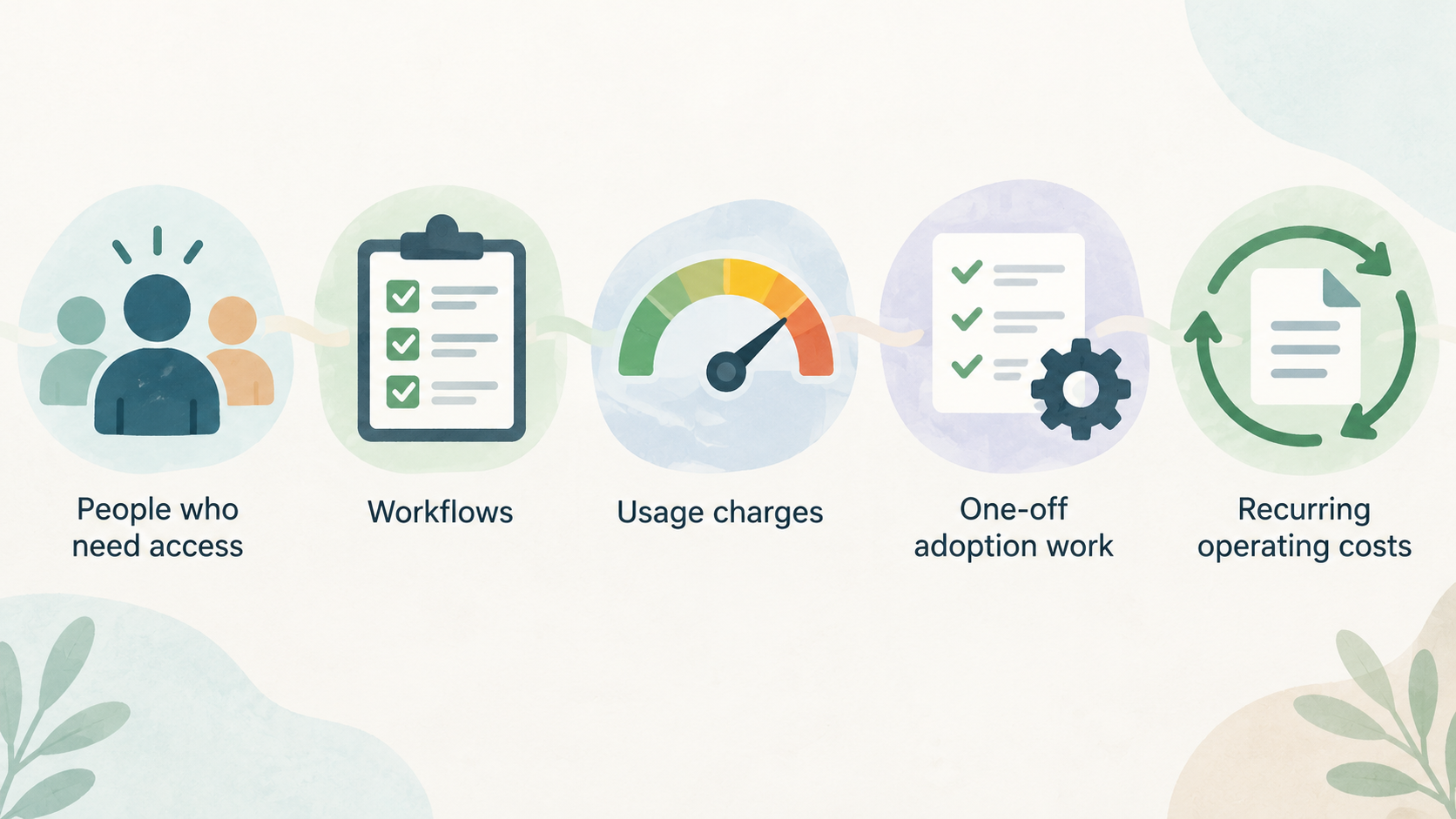
A dependable software budget starts with operating scope, not a headline monthly figure. List the people who need access, the workflows they must complete, the services that generate usage charges, and the changes you expect over the next 12–24 months. Then separate one-off adoption work from recurring operating costs. This approach makes supplier comparisons more useful and gives approvers a clearer view of both first-year cash needs and the likely renewal position.
Build a Complete Practice Software Cost Map
AI-generated illustration — not a retailer product photo.
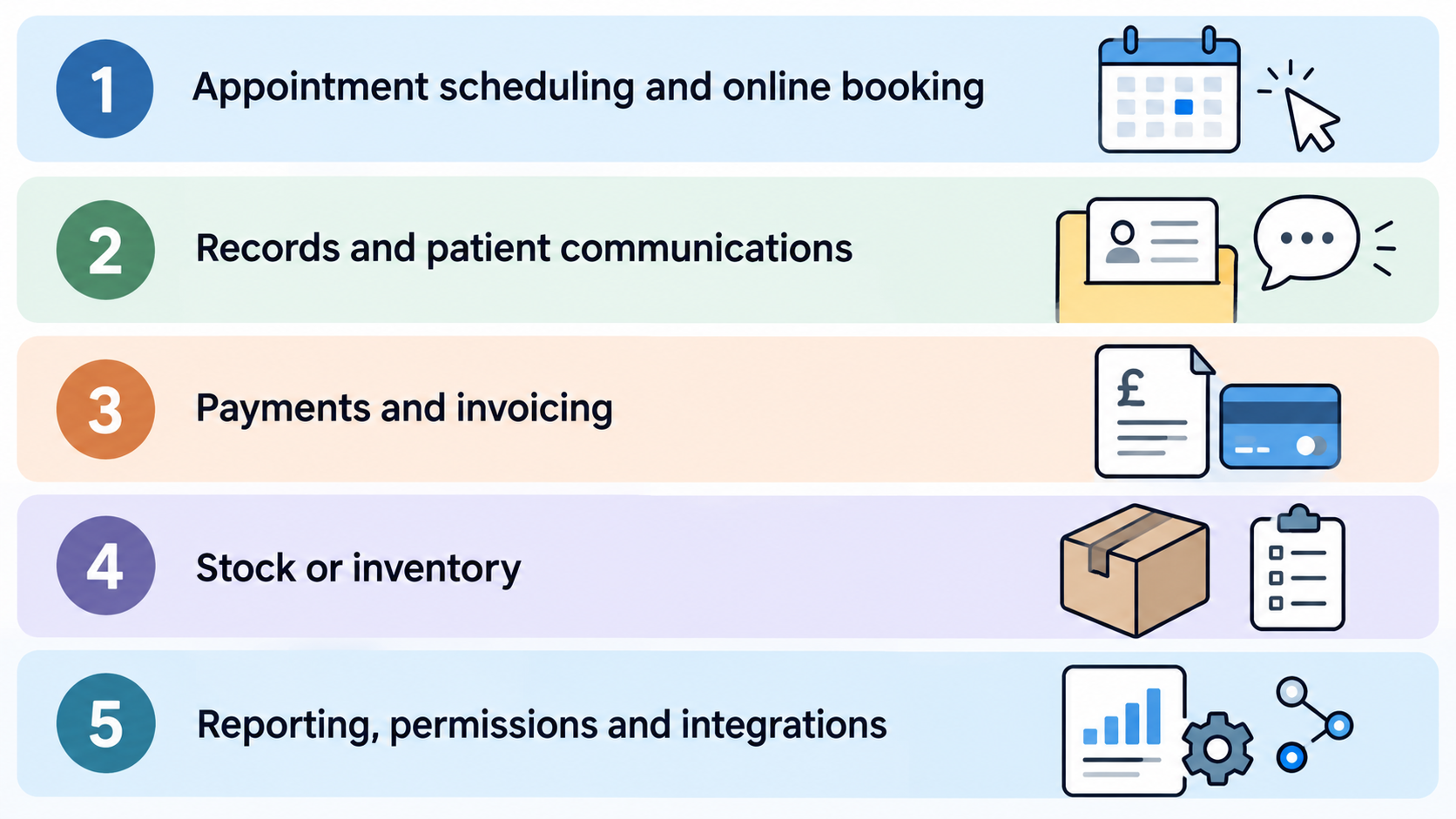
Start with a cost map before requesting quotes. The subscription is one line in the budget, but it may not represent the whole operating cost. Define the essential workflow scope first: appointment scheduling and online booking, records and patient communications, payments and invoicing, stock or inventory, reporting, permissions, integrations, and any clinical or administrative processes your team relies on.
Pabau’s pricing page illustrates why this matters. It says every plan includes access to its platform, including scheduling and online booking, payments and invoicing, inventory management, reporting, roles and permissions, and other practice workflows; it also describes optional add-ons that can extend the core subscription. Pabau pricing
Build the map in five groups:
- Core subscription and the pricing metric used to calculate it.
- Paid licences for clinicians, administrators, reception staff, or specialist functions.
- Optional products and usage-based services, such as messaging or video.
- One-off adoption work, including migration, configuration, training, hardware, and internal project time.
- Growth and renewal exposure, including additional staff, sites, and changes to required functionality.
This is not a promise that every supplier charges in every category. It is a due-diligence structure: each category should be marked as included, chargeable, unavailable, or still to be confirmed in the written quote.
Match Subscription Pricing to Your Team Structure
AI-generated illustration — not a retailer product photo.

The right pricing model is the one that fits the people who need to use the system. Ask suppliers to identify exactly which people count toward the subscription: practitioners, all named users, particular clinical roles, or a team-size band. A clinic can otherwise compare two apparently similar quotes that cover very different access rights.
Pabau states that its pricing depends on location and the number of users needed, with plan bands ranging from one user to larger groups and enterprise support for multi-location organisations. Its page describes the platform as priced by team size and says all plans provide full platform access. Pabau pricing
Cliniko takes a different approach: its subscription is based on the number of practitioners working at the clinic. Its pricing page also states that subscriptions include unlimited admin users, unlimited reception users, unlimited locations, unlimited patients, and unlimited file storage. That can make the practitioner count—not total headcount—the important recurring-cost driver for a clinic using Cliniko. Cliniko pricing
WriteUpp’s guidance requires buyers to choose a plan and licence configuration. On its Flex plan, all users require a paid licence, including non-clinical users. On its Group plan, only clinical users need licences, while non-clinical users are free and unlimited. WriteUpp pricing and licensing
For each quote, make a simple access register: clinicians, locums, owners, practice managers, reception, finance, and any external or temporary users. Then ask which category each person falls into today and after the next planned hire.
Identify Add-ons, Usage Charges, and Licence Exceptions
A base subscription can be broad without being the final monthly bill. Treat optional products, specialist licences, and consumption-based charges as separate cost lines until the supplier confirms they are included for your chosen plan and scope.
Pabau says its core subscription can be extended with optional add-ons that work with any plan. The practical question is therefore not simply whether a feature exists, but whether the workflow your clinic requires is available in the quoted configuration and whether any related optional product is needed. Pabau pricing
Cliniko lists SMS credits separately from the subscription and prices them at 10¢ per message; its displayed subscription prices are in US dollars. For a UK clinic, record both the message volume assumption and the quoted currency rather than folding a messaging allowance into a generic software figure. Cliniko pricing
WriteUpp provides several examples of configuration-sensitive cost. Its guidance says group video requires assigned video licences; 1:1 video calling is included, but video minute bundles are needed to host calls. It also identifies AI Scribe licences as an add-on and says online booking is an optional choice on Flex. WriteUpp pricing and licensing
Before approval, test every required workflow against the quote: reminders, online booking, payments, group video, AI-assisted documentation, reporting, integrations, and multi-site controls. For each one, capture whether it is included, charged per licence, charged by usage, or excluded. That turns vague “all features” language into a usable budget assumption.
Create First-Year and Ongoing Cost Scenarios
AI-generated generic editorial illustration — not a retailer product photo and does not depict the reviewed product or service. Make the transition from individual charges to a first-year and ongoing budget model immediately scannable.
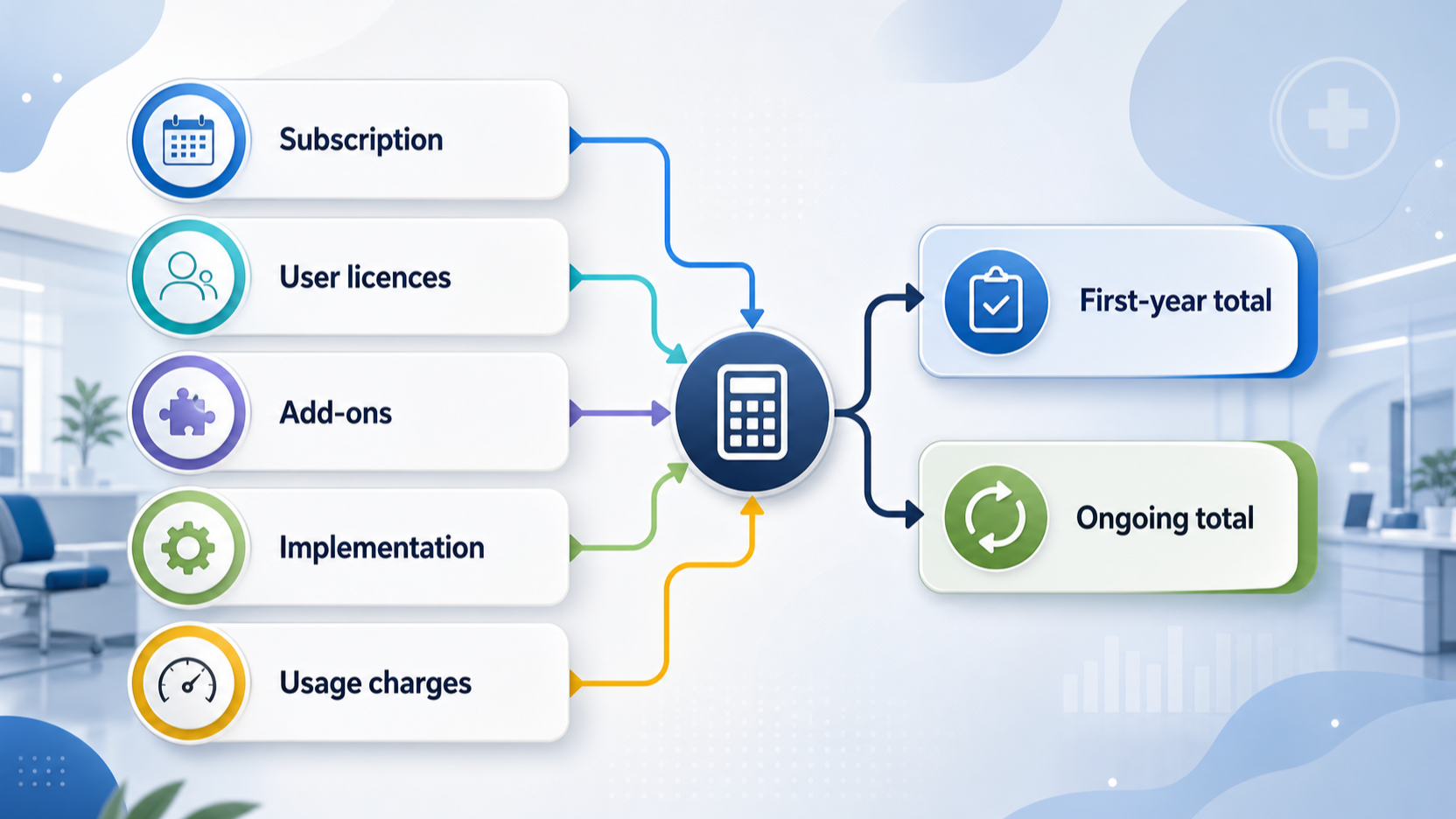
Use two columns in the approval model: first-year cost and ongoing annual cost. Put recurring services and one-off adoption work in the first-year column; remove genuine one-off items from the ongoing column.
For each line, record the assumption, source, owner, and date it needs confirming. Where the supplier quote or plan information provides them, capture the billing frequency, currency, selected plan, relevant licence count, optional products, and expected usage. Keep implementation, migration, configuration, training, equipment, integration work, and internal delivery time as separate assumptions until they are confirmed.
A compact model can use these rows:
- Recurring platform subscription.
- Recurring user, practitioner, or clinical licences.
- Optional products and expected consumption charges.
- Supplier implementation or migration work.
- Internal delivery time, equipment, and contingency.
- A growth reserve for planned hires, service expansion, or another location.
The aim is to make assumptions visible and compare the first-year view with the expected post-implementation run rate.
Stress-Test the Budget Against Growth Scenarios
Run the same model for three operating states: a solo clinician, a small shared team, and a growing multi-practitioner clinic. The purpose is to show which assumption changes the total, not to declare one supplier universally cheapest.
For a solo clinic, test whether a single practitioner or user is sufficient and whether the required booking, payment, messaging, and documentation workflows are included. Pabau presents one-user plans, while Cliniko’s pricing starts from a practitioner-count basis. Pabau pricing Cliniko pricing
For a shared team, add the actual mix of clinicians and non-clinical staff. This is especially important where the vendor treats those roles differently: Cliniko states that admin and reception users are unlimited, while WriteUpp says Flex requires paid licences for all users and Group requires licences only for clinical users. Cliniko pricing WriteUpp pricing and licensing
For growth, model the next clinician, the next administrative role, and a possible additional location. Pabau says its pricing varies by number of users and location and identifies multi-location support at enterprise level; Cliniko states that locations are unlimited within subscriptions. Pabau pricing Cliniko pricing
Use these scenarios to identify the questions that must be resolved before signing, rather than extrapolating a current quote indefinitely.
Use a Supplier Quote Checklist Before Signing
Ask for a written, dated quote that can be compared line by line with competing offers. It should state the currency, billing frequency, plan name, pricing basis, number and type of licences, included functionality, add-ons, usage rates or allowances, implementation scope, renewal terms, and exclusions.
Confirm the access model in writing. Pabau says its price depends on users and location; Cliniko bases its subscription on practitioners; and WriteUpp distinguishes Flex and Group licence treatment for clinical and non-clinical users. Pabau pricing Cliniko pricing WriteUpp pricing and licensing
Use this buyer checklist:
- Who needs access now, and which roles will be added before renewal?
- Which workflows are mandatory on day one?
- Which features require an add-on, specialist licence, or usage credit?
- What implementation, migration, training, integration, and internal work is included?
- What changes when a practitioner, general user, clinical licence, or location is added?
- Which charges may change at renewal, and when will the quote cease to apply?
Compare suppliers only after normalising these answers to the same operating scope. The most useful decision is the one that remains affordable when your real team and required workflows are entered into the model.
Frequently Asked Questions
Is practice management software normally priced per user or per practitioner?
It depends on the supplier. Pabau says its pricing depends on location and number of users; Cliniko says subscriptions are based on the number of practitioners; and WriteUpp requires plan and licence choices. WriteUpp further distinguishes Flex, where all users need paid licences, from Group, where only clinical users need licences. Ask the supplier to classify every role in your clinic before comparing totals. Pabau pricing Cliniko pricing WriteUpp pricing and licensing
Which add-ons and usage costs should a UK clinic ask about?
Ask about messaging, online booking, video, AI or specialist documentation tools, integrations, and any optional product needed for a mandatory workflow. Cliniko lists SMS credits separately; WriteUpp identifies group video licences, video minute bundles, AI Scribe licences, and optional online booking on Flex; Pabau describes optional add-ons for its core subscription. Record the supplier’s currency and the usage assumption beside each item. Cliniko pricing WriteUpp pricing and licensing Pabau pricing
How should a growing clinic budget for extra staff and locations?
Model the next hire and next location before committing, then ask how each change affects the quoted plan. Pabau ties pricing to user count and location, while Cliniko says subscriptions include unlimited locations but are based on practitioner count. The impact for non-clinical staff can also differ by plan, as WriteUpp’s Flex and Group rules show. Pabau pricing Cliniko pricing WriteUpp pricing and licensing
What should be included in a first-year software budget?
Include the quoted subscription, licences, add-ons, expected usage charges, implementation and migration scope, training, integrations, hardware, and internal project time. Keep one-off adoption costs separate from the expected ongoing run rate, and obtain written confirmation of billing frequency, currency, exclusions, and renewal terms before approval.
Related reading
- Best practice management software for UK private clinics: evidence-led top choices
- Pabau review for UK clinics: features, pricing model, and practical fit
- WriteUpp review for UK therapists and clinics: features, costs, and fit
- How to compare practice software free trials, contracts, and genuine value
Editorial information: About our editorial team · Read our editorial policy · Read our affiliate disclosure.